How to Speed Up an Old Samsung TV: Expert Tips on Clearing Storage
Slow Smart TV performance is often caused by the accumulation of temporary files. Regular cache clearing helps restore device speed without resetting settings.
 🏢Бізнес
Photo: unian.ua
Key points
- Accumulation of temporary files slows down Smart TV
- Clearing cache does not delete personal user settings
- The procedure is recommended to be performed every few months
Modern televisions act as full-fledged media centers, but over time users may notice significant interface slowdowns and freezing of popular video streaming apps. The main reason for such delays is the limited internal storage capacity and the gradual accumulation of temporary data created by streaming services and the operating system.
Typically, built-in programs and system needs are allocated about 8 gigabytes, with a significant portion of the space taken up by the TV's own interface and pre-installed software. As a result, critically little space remains for user applications, leading to slow responses to remote control commands and sudden closures of favorite platforms like YouTube or Netflix.
How to Safely Free Up Device Memory
Experts recommend performing the cleanup procedure every few months to maintain stable screen performance. It is important to distinguish between safe cache clearing and complete data deletion, as the former allows users to keep all personal settings, accounts, and picture or sound playback parameters intact.
The sequence of actions may vary depending on the release year of the Samsung equipment. In newer models, you can manage the storage of each application individually, while on older devices you may only be able to delete browser history and internet data through special menu sections. If standard methods do not help, specialists suggest using a 'cold reboot' function by holding down the power button on the remote or completely unplugging the power cord from the outlet.
Source unian.ua — unian.ua/techno/software/televizor-samsung-galmuye-ta-zavisaye-yak-… ↗
Read next
 🧠AI Analysis
Geopolitical summit in China: expert assessment of the meeting between US, Chinese, and Russian leaders
Political scientist Ramiz Yunus analyzed the summit in Shenzhen, describing it as a media-driven event rather than a strategic diplomatic breakthrough.
 🏢Бізнес
EU to Provide €1 Billion for Military Equipment for Ukraine
The Council of the European Union has approved a new military aid package via the European Peace Facility to strengthen Ukraine's defense capabilities.
 🧠AI Analysis
Technological Superiority and the Crimean Bridge: Expert Analysis
Recent attacks on the Crimean Bridge demonstrate Ukraine's shift toward the systematic, industrial-scale deployment of high-tech military solutions.
 🧠AI Analysis
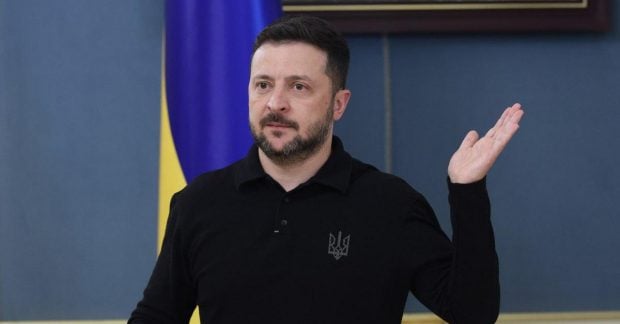
Zelenskyy Reaffirms Legitimacy of Strikes on Crimean Bridge
The President of Ukraine confirmed the strategic importance of disabling the Crimean Bridge as a legitimate military target in response to Russian aggression.
 🏢Бізнес
Russian strike destroys Fresh Production Group's film studio
On the night of November 20, a Russian attack completely destroyed the filming studio of a prominent Ukrainian production company. No casualties were reported.
 🏢Бізнес
Energy infrastructure in Rivne region damaged by attack: 50 settlements left without power
Following a hostile strike on the Sarny district of the Rivne region, 50 settlements have lost electricity, with repair efforts hindered by ongoing security alerts.