What the triangle icon on Samsung smartphones means: a user guide
A triangle icon in the status bar of Samsung Galaxy devices indicates that the Data Saver mode is active.
 🏢Бізнес
Photo: unian.ua
Key points
- The triangle icon indicates Data Saver mode is active
- The mode restricts background data usage and notifications
- Users can customize exceptions for essential apps
Samsung Galaxy users may occasionally notice an unusual triangle icon with arrows in their status bar. While this symbol might look like a system warning, it is actually a standard indicator for the "Data Saver" mode, a feature integrated into Samsung's One UI.
Understanding Data Saver mode
When this mode is enabled, the system restricts apps from accessing mobile data in the background. Consequently, users might experience delays in receiving notifications from messaging apps, email clients, or social media platforms, as these apps are prevented from syncing until they are actively opened.
The feature is often triggered accidentally through the quick settings panel. While it can be inconvenient for daily use, it is highly effective for travelers in roaming or users with limited data plans. To maintain connectivity, users can configure exceptions in the settings menu, allowing essential applications to bypass these restrictions and continue working in the background.
Source unian.ua — unian.ua/techno/software/trikutnik-u-ryadku-stanu-samsung-shcho-ozn… ↗
Read next
 🧠AI Analysis
Geopolitical summit in China: expert assessment of the meeting between US, Chinese, and Russian leaders
Political scientist Ramiz Yunus analyzed the summit in Shenzhen, describing it as a media-driven event rather than a strategic diplomatic breakthrough.
 🏢Бізнес
EU to Provide €1 Billion for Military Equipment for Ukraine
The Council of the European Union has approved a new military aid package via the European Peace Facility to strengthen Ukraine's defense capabilities.
 🧠AI Analysis
Technological Superiority and the Crimean Bridge: Expert Analysis
Recent attacks on the Crimean Bridge demonstrate Ukraine's shift toward the systematic, industrial-scale deployment of high-tech military solutions.
 🧠AI Analysis
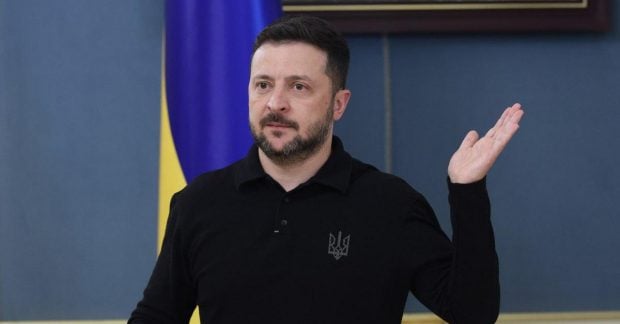
Zelenskyy Reaffirms Legitimacy of Strikes on Crimean Bridge
The President of Ukraine confirmed the strategic importance of disabling the Crimean Bridge as a legitimate military target in response to Russian aggression.
 🏢Бізнес
Russian strike destroys Fresh Production Group's film studio
On the night of November 20, a Russian attack completely destroyed the filming studio of a prominent Ukrainian production company. No casualties were reported.
 🏢Бізнес
Energy infrastructure in Rivne region damaged by attack: 50 settlements left without power
Following a hostile strike on the Sarny district of the Rivne region, 50 settlements have lost electricity, with repair efforts hindered by ongoing security alerts.